YourStasis Tutorial
Install the Chrome extension, choose where enrichment runs, capture one public page, review the resulting row, and export it without losing control of the data.
Step 1
Install and pin the Chrome extension
- Use the Chrome Web Store listing when it becomes available. During beta, download the YourStasis v0.1.56 for Chrome.
- Unzip the download into a stable folder that you will not delete after loading it.
-
Open
chrome://extensions, enable Developer mode, click Load unpacked, and select the folder containingmanifest.json. - Pin YourStasis from Chrome's Extensions menu.
Step 2
Choose where enrichment runs
Open Setup in the side panel, then open Advanced: choose where model work runs to choose a mode. You can change this later in Settings.
- Hosted account: recommended for account history across surfaces.
- Bring your own key: use our service with your own OpenRouter or OpenAI key.
- Local / Ollama: run the YourStasis API and model endpoint on your machine.
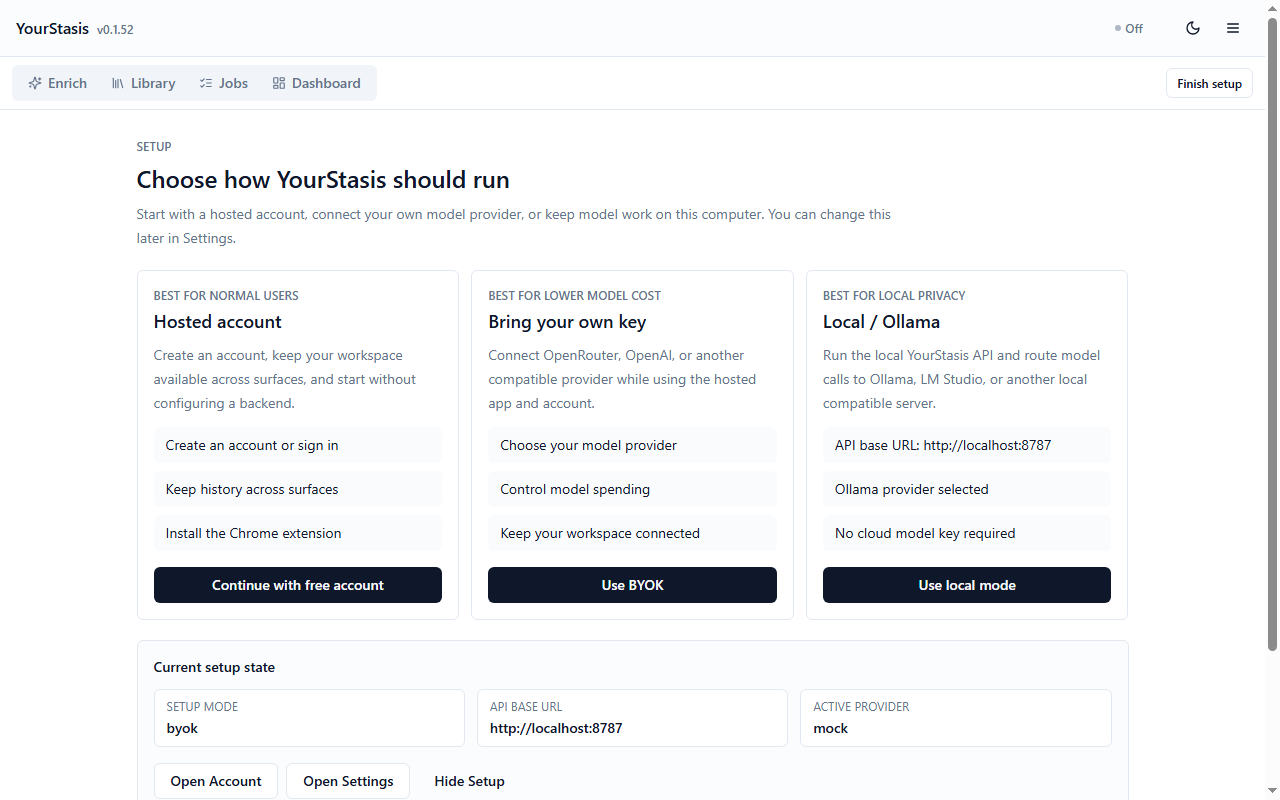
Run the preflight before spending model credits
Click Run preflight. It checks that your provider, account history, Google export and Push to API are set up, without running any of them. Use Copy setup report when support needs a redacted diagnostic.
Step 3
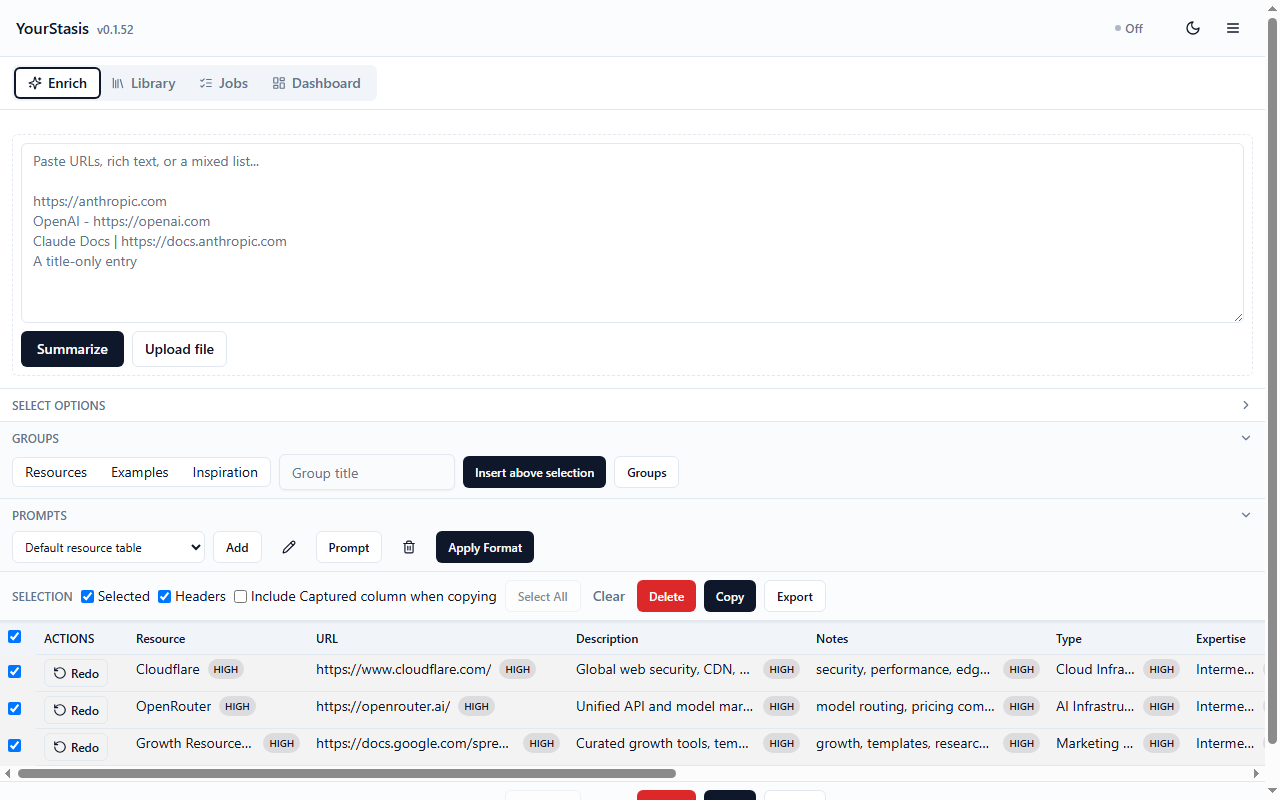
Capture one page you chose
- Open a public article, tool, product page, Google Doc, or Google Sheet.
- Open YourStasis and click Summarize current tab.
-
For keyboard capture, open
chrome://extensions/shortcutsand assign the current-tab command. The recommended Chrome-managed shortcut is Ctrl+Shift+Y on Windows or Command+Shift+Y on macOS.
Step 4
Review the row before using it
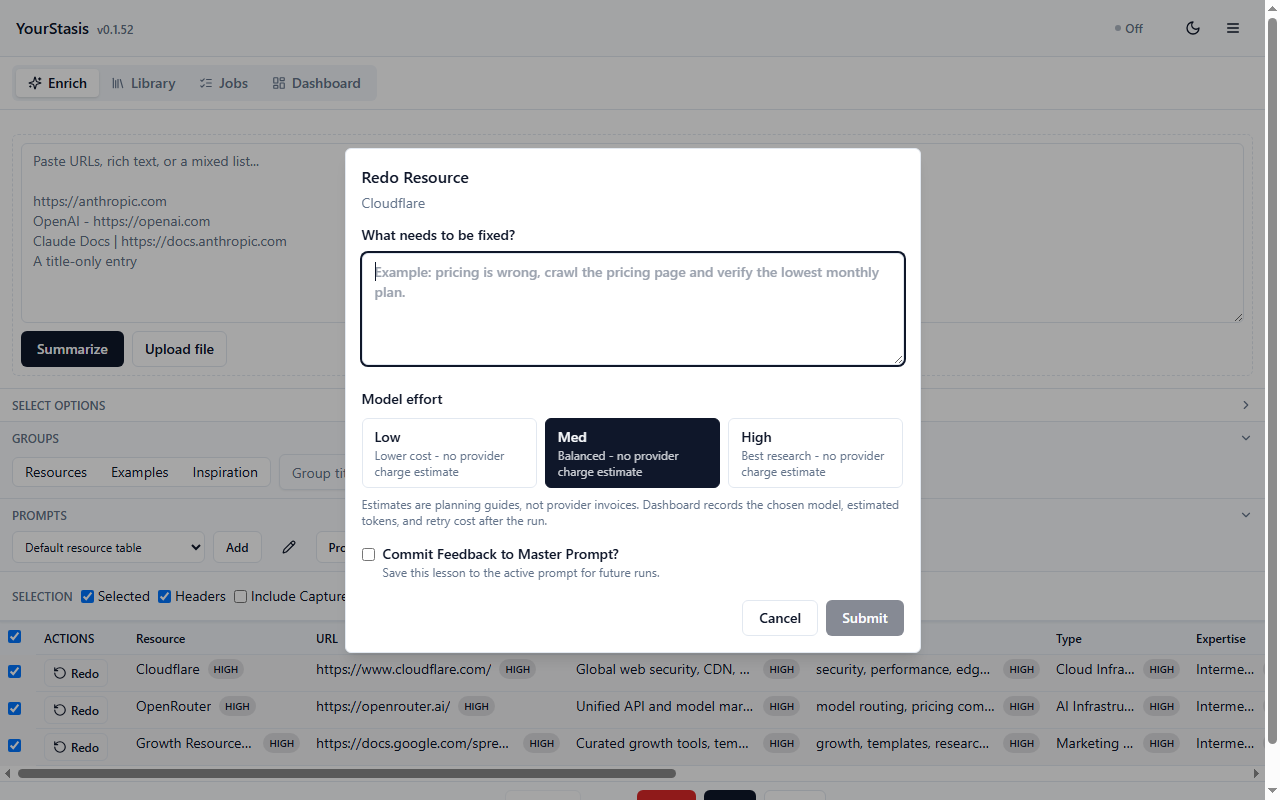
Double-click a cell to correct it. Select a different Prompt when the output needs a different schema, such as a job, movie, event, product, book, podcast, recipe, travel place, or research paper.
Redo re-runs a row with your note on what to fix and re-checks the site's pricing page for website links.
Step 5
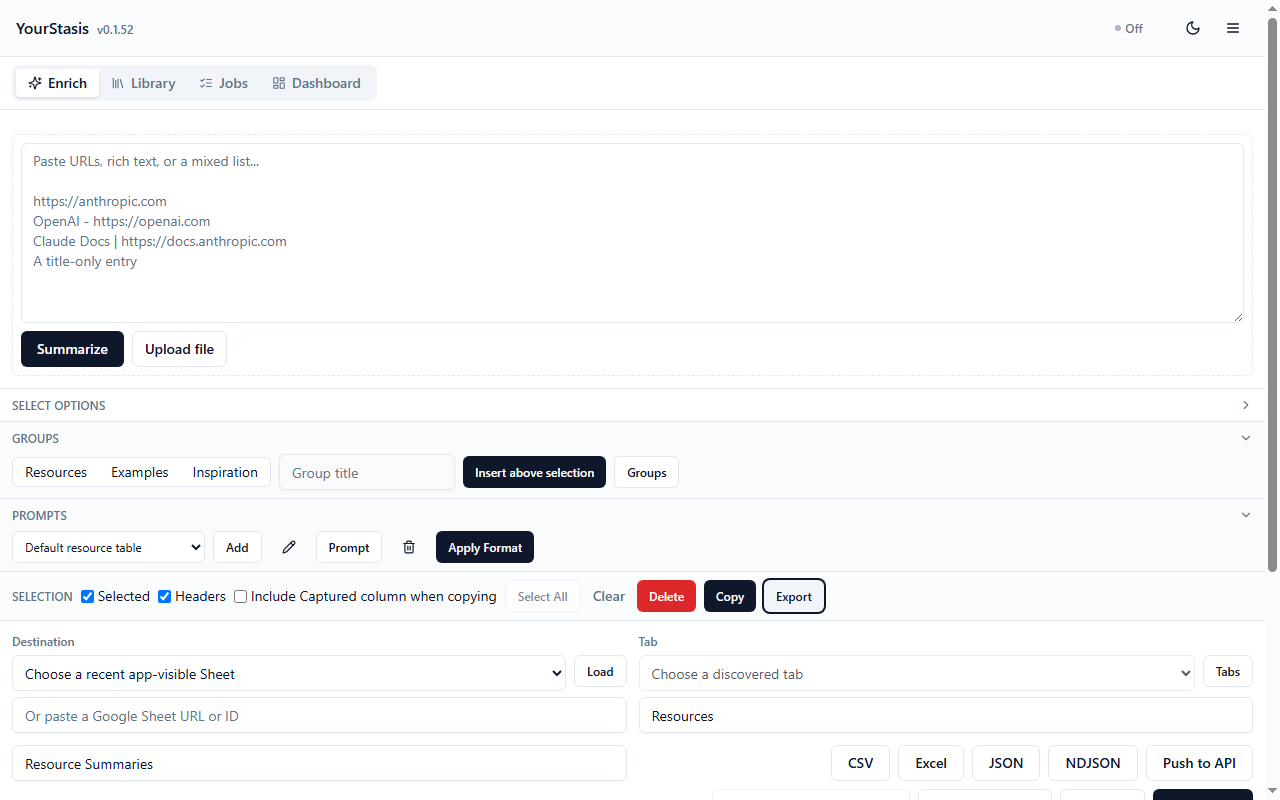
Select, copy, or export the reviewed rows
- Select one or more rows, or leave all rows unselected to use the full preview.
- Turn Headers on when the destination needs a header row.
- Choose TSV for spreadsheet paste or Markdown for a readable text table.
- Copy as TSV and paste into your sheet, or open Export for CSV, Excel, JSON, NDJSON, API delivery or Save to account.
Step 6
Use Logs and Setup when something fails
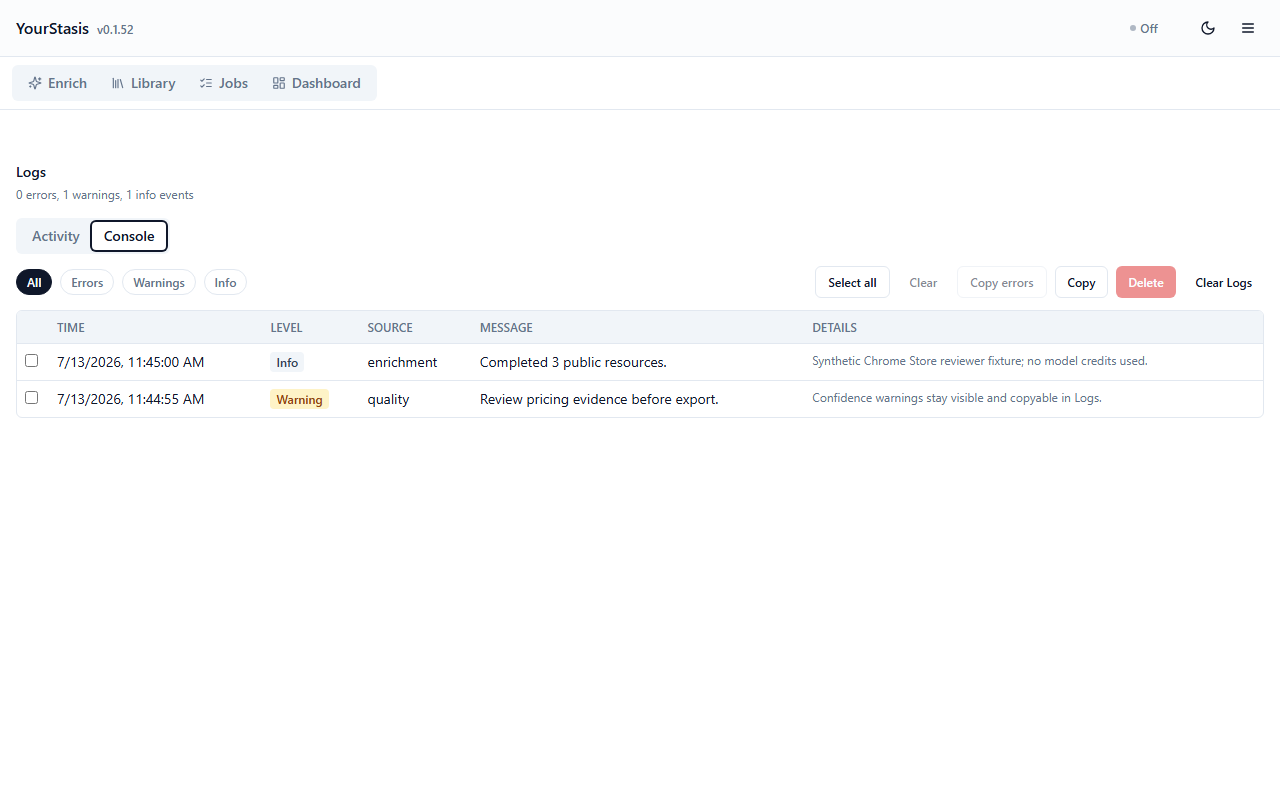
Logs shows the source, time and error details for capture and enrichment. The input is shortened but error details are not, so check an entry before you share it.
Ready for the next resource
Keep the side panel open while researching, or close it and return later. Extension storage retains the local workspace until you clear it or remove the extension.